ridhww: a systematic review workspace, flashcards, notes and community for medical students
Research Suite
Reviews, case reports, audits and trials, start to finish.
Seven study types, each with its reporting guideline: a shared data sheet, live with your team, and the figures, checklist and Word draft made from your data.
- PRISMA · CARE · CONSORT
- Live team data sheets
- De-identified by design




One account
Everything in one place.
Free while we launch. No card, and no limits on projects, records or teammates.
Research Suite
Systematic and scoping reviews, case reports, audits, observational studies, trials and qualitative studies, with your team.
Writing Studio
From research question to manuscript: outlines, paper table, a draft editor with citations, proofreading and exports.
References and citations
A reference library with DOI and PubMed look-up, and citations in Vancouver, AMA, APA and Harvard.
Research calculators
Sample size, diagnostic accuracy, risk measures and basic statistics, with the formula shown.
Flashcards
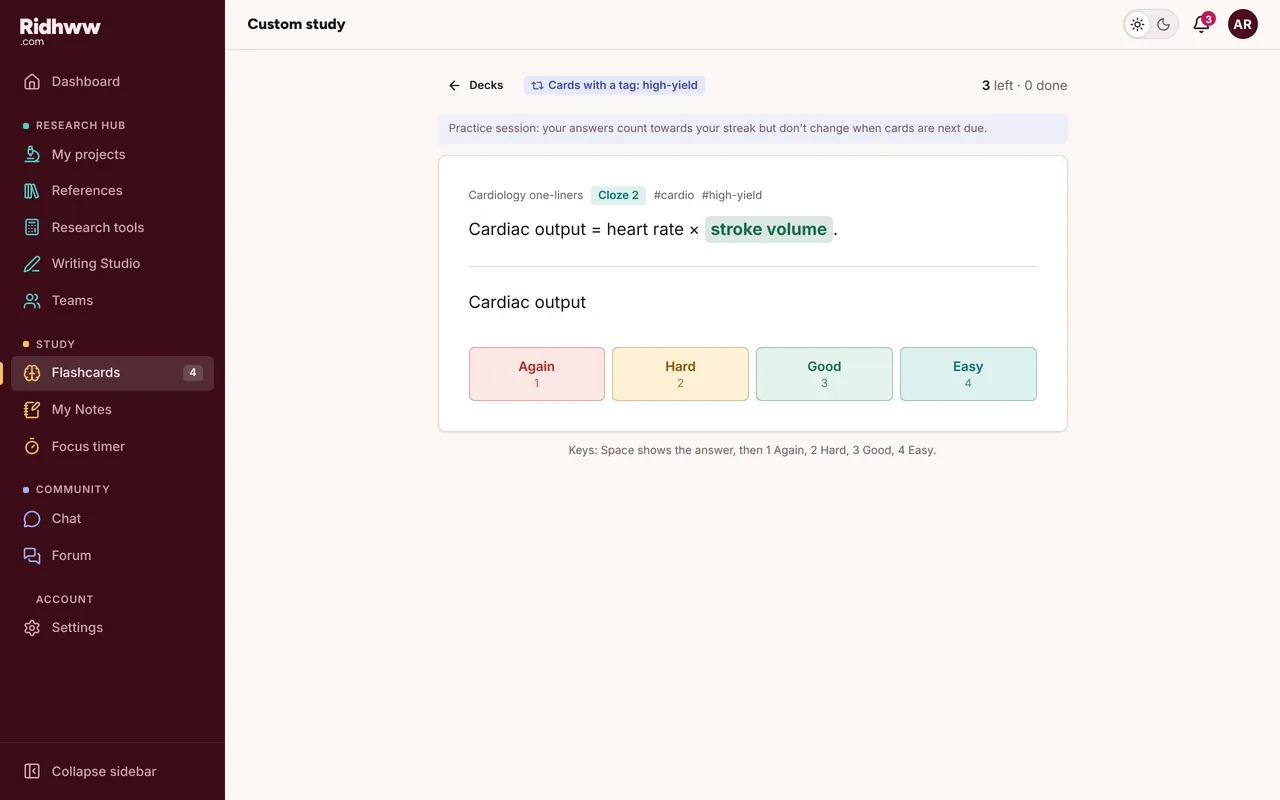
Spaced repetition with cloze, reverse and image cards. Import from Anki.
My Notes
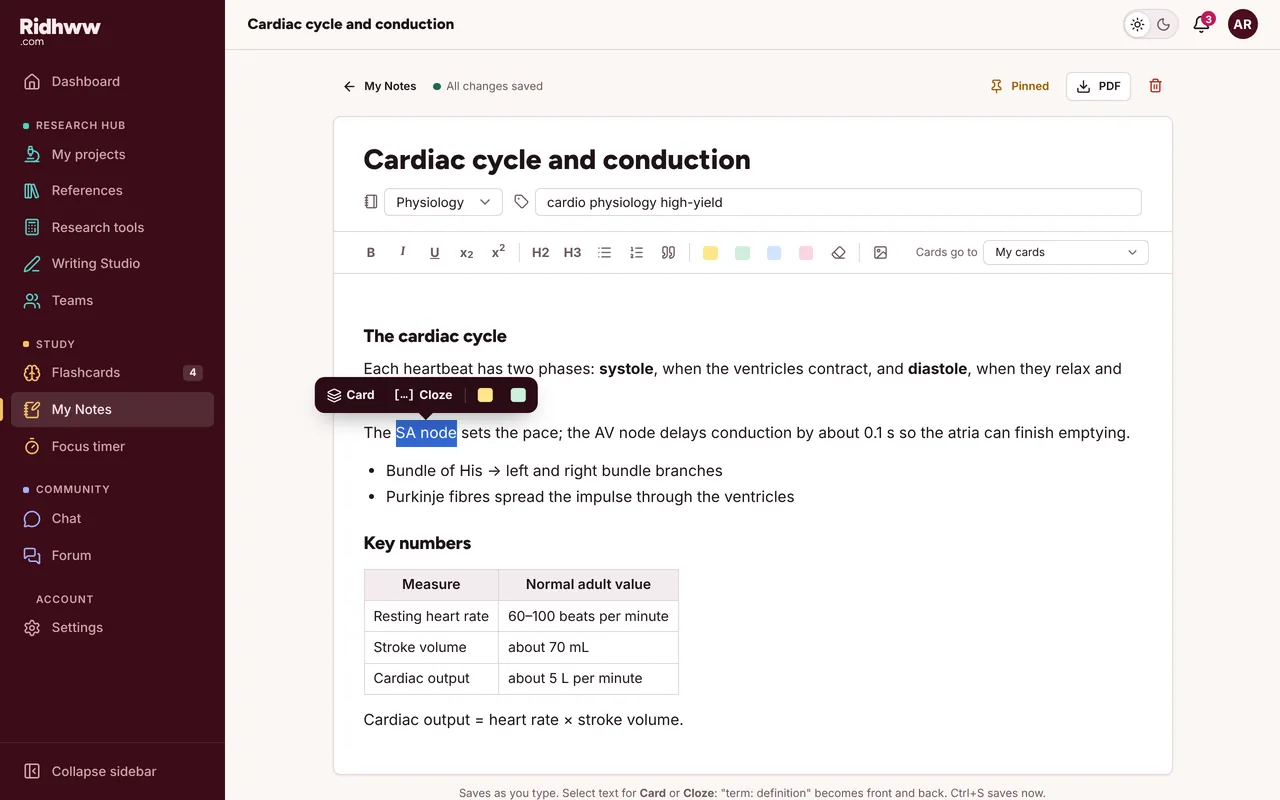
Paste from anywhere, organise in folders, and turn any line into a card.
Community
A forum with educator answers, study groups and a chat channel for every review.
Install as an app
Add it to your phone's home screen and open it like any other app.
Exam prep: coming soon
Notify me- NEET-UG Coming soon
- USMLE Coming soon
- PLAB Coming soon
- UKMLA Coming soon
- AMC Coming soon
- FMGE Coming soon
Join the waitlist and we email you once, when an exam opens. Nothing else.
Every stage of a review, in the order you do them.
-
01
Import
Upload exports from PubMed, Embase, Scopus or Web of Science, or search PubMed from inside the review. Each file is counted per database.
-
02
Remove duplicates
Matches on DOI, PMID, or title, year and first author, with a confidence score. Compare each pair side by side, differences highlighted, and merge with one click.
-
03
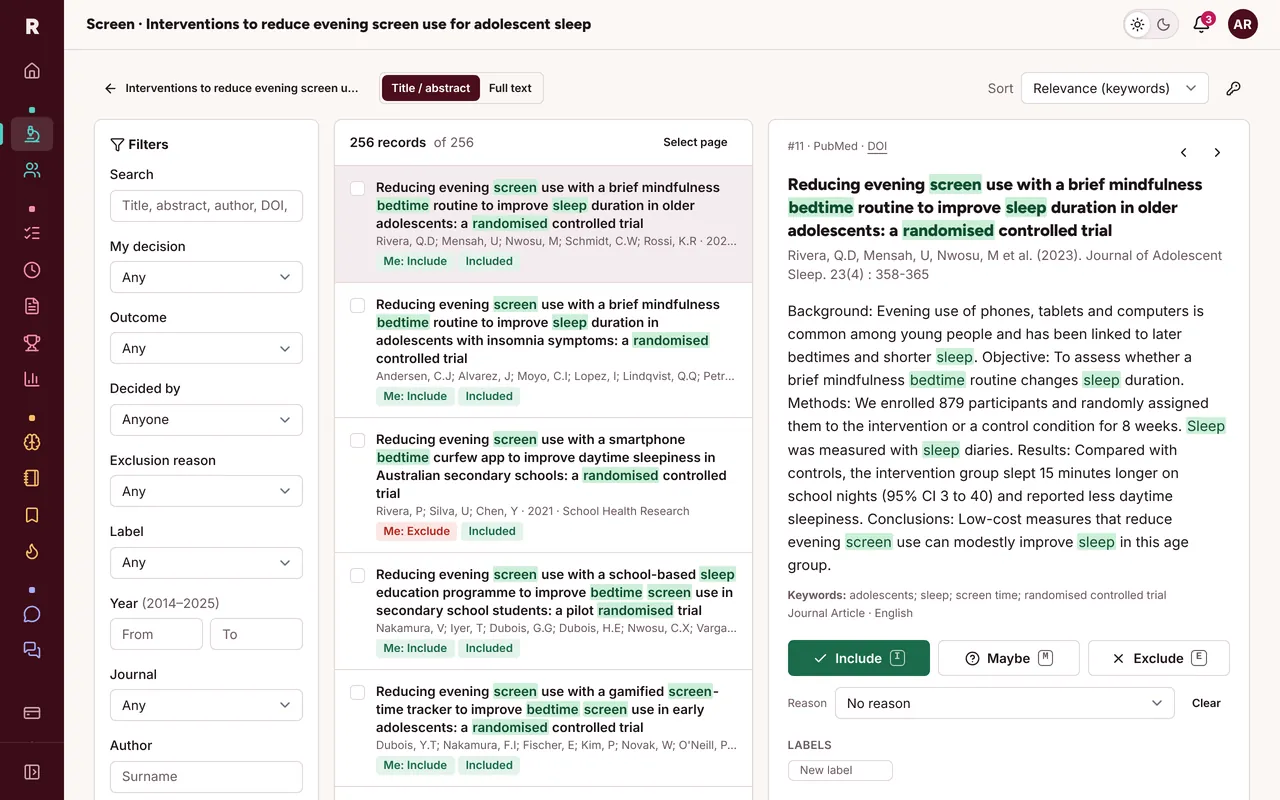
Screen, blinded
Two or more reviewers per record. Nobody sees anyone else's votes until the owner turns blinding off.
-
04
Resolve conflicts
Disagreements go to the owner or a third reviewer. Every decision is in the audit log.
-
05
Extract and assess
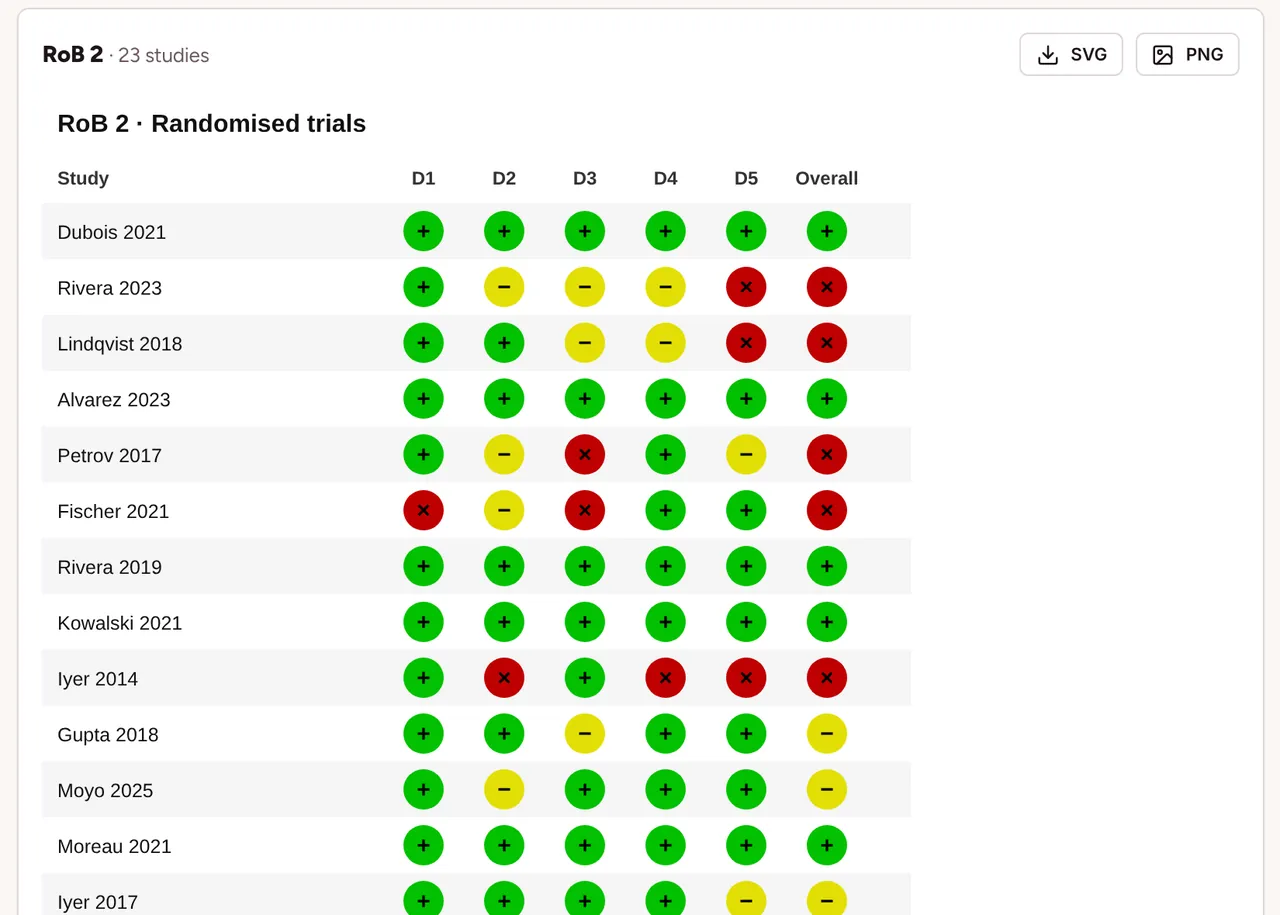
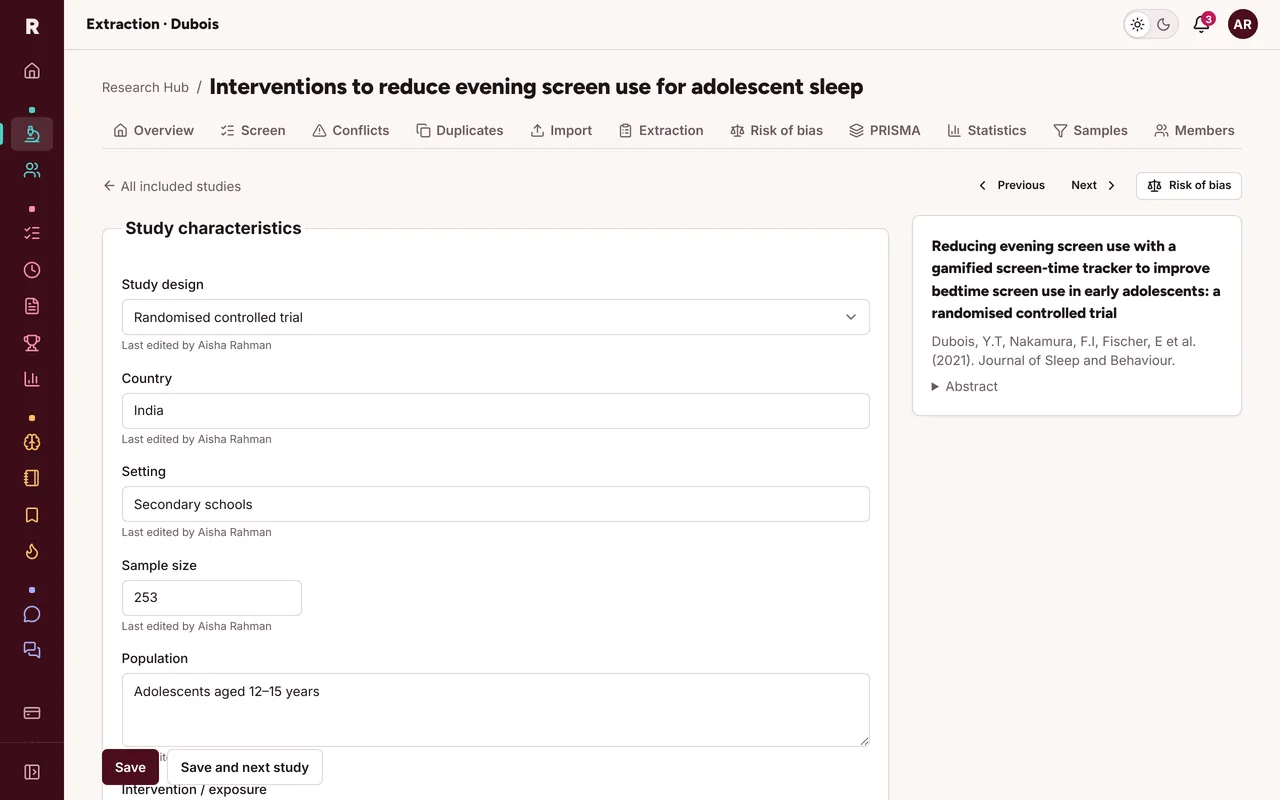
A shared extraction form for each included study, and risk of bias with a traffic-light plot.
-
06
Report
A PRISMA 2020 diagram filled from your counts, kappa for your methods section, and exports to CSV, RIS and Excel.
Blinded screening
Blinding that actually holds.
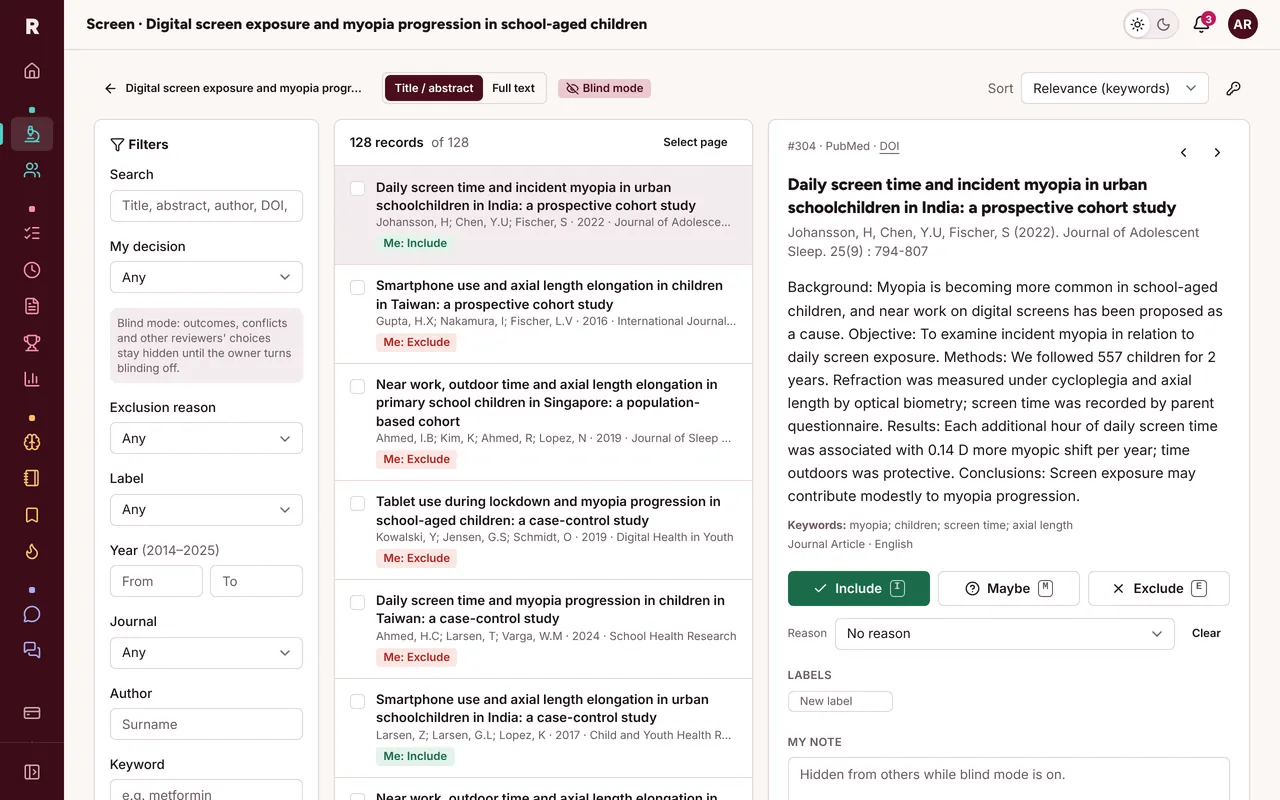
While blind mode is on, nobody sees anyone else's decisions, notes or labels, not even the owner. It's enforced on the server, so it also holds in exports and in the PRISMA counts.
- Include, exclude or maybe, with exclusion reasons, labels and notes
- Inclusion terms highlighted in green, exclusion terms in red
- Keyboard shortcuts you set yourself: I, E, M, J and K by default
PRISMA 2020
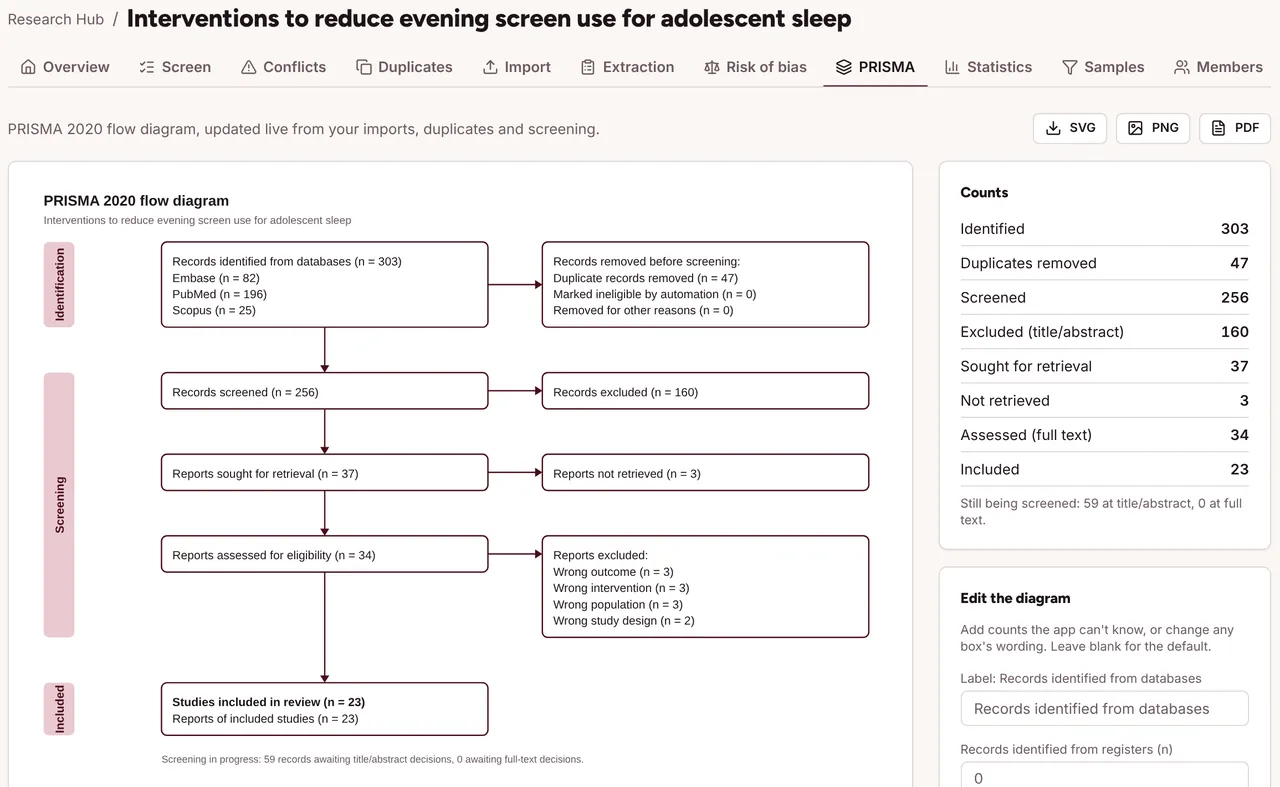
The flow diagram fills itself in.
Counts come straight from your imports, duplicate checks and screening. Reword any box, add the numbers the app can't know, and download SVG for your manuscript or PNG and PDF for slides.
Agreement
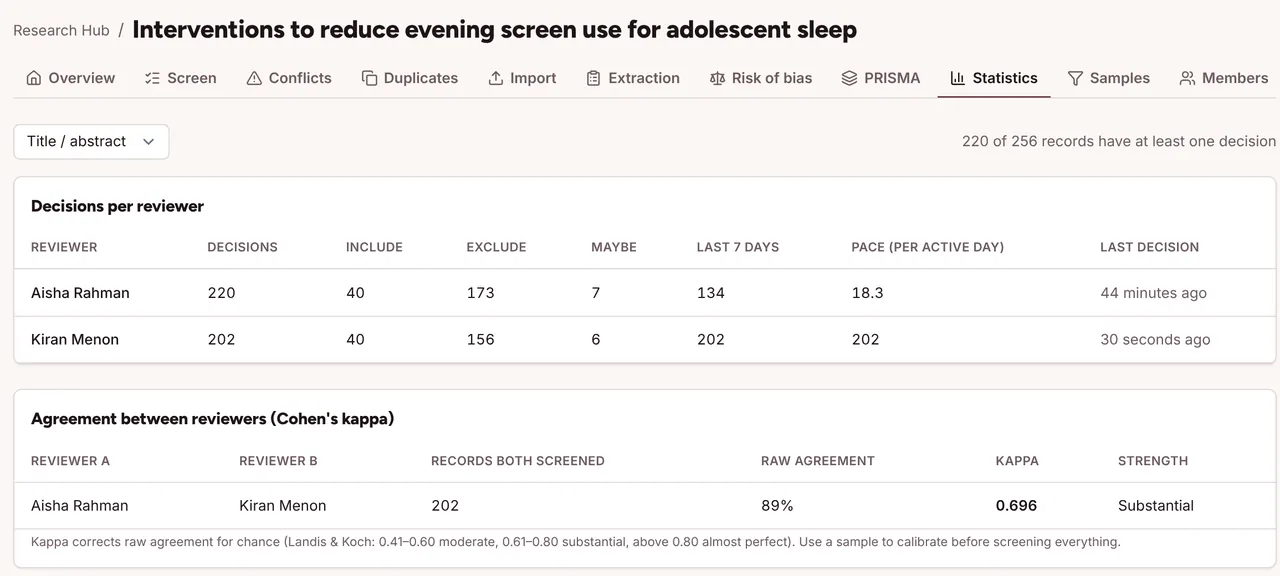
Kappa, ready for your methods section.
Cohen's kappa for every pair of reviewers, with raw agreement and the Landis and Koch label, plus each reviewer's decisions and pace. Use random samples to calibrate before you screen everything.
Extraction and risk of bias
From included studies to evidence tables.
Start from a template (design, country, sample size, PICO, effect size, follow-up) and add your own typed fields. Assess each study with RoB 2, ROBINS-I or Newcastle–Ottawa, and export the traffic-light plot and tables.
Not a review? The Research Suite also runs case reports (CARE), clinical audits (SQUIRE), observational studies (STROBE), randomised trials (CONSORT) and qualitative studies (COREQ or SRQR), each with a live team data sheet, its checklist and its figures.
Everything in the Research Suite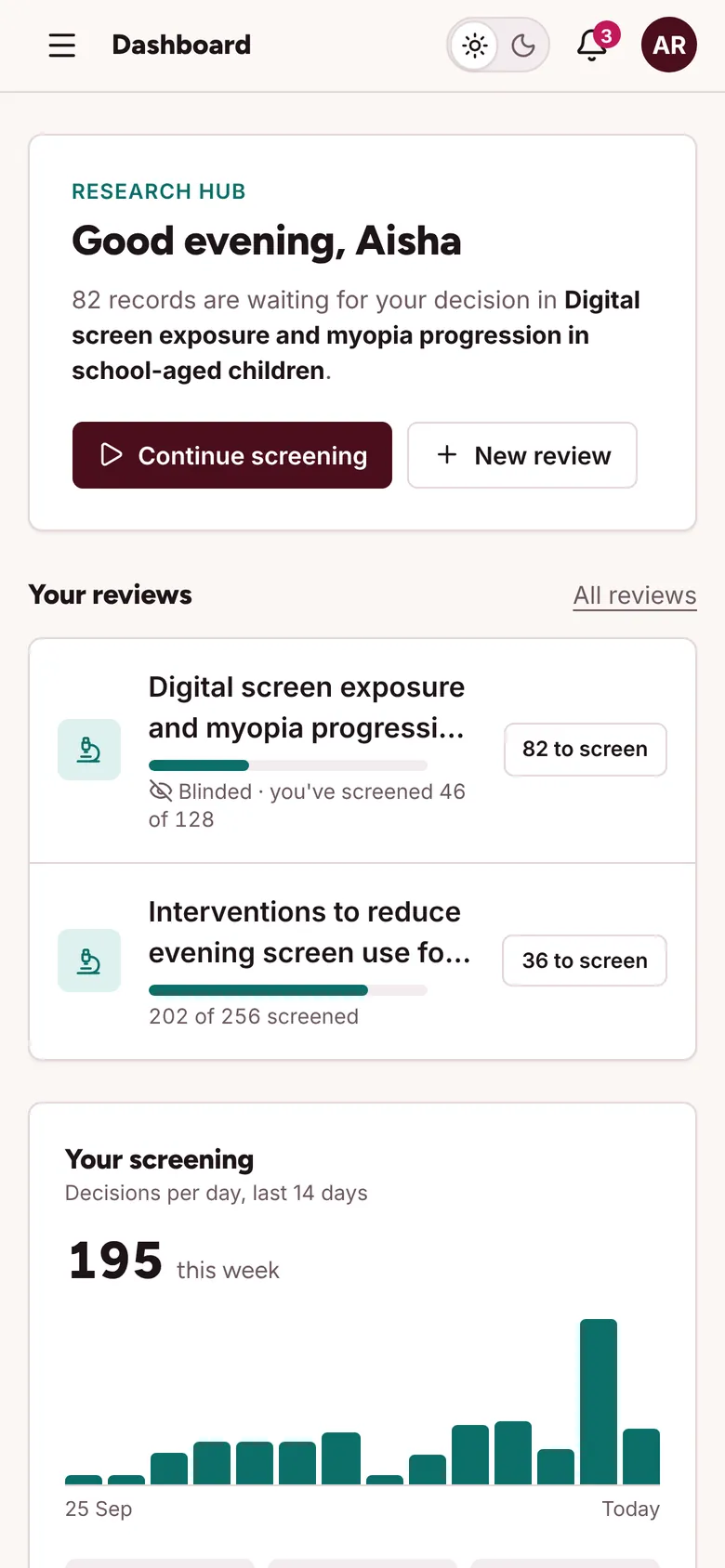
Community
Ask, answer, and keep going on your phone.
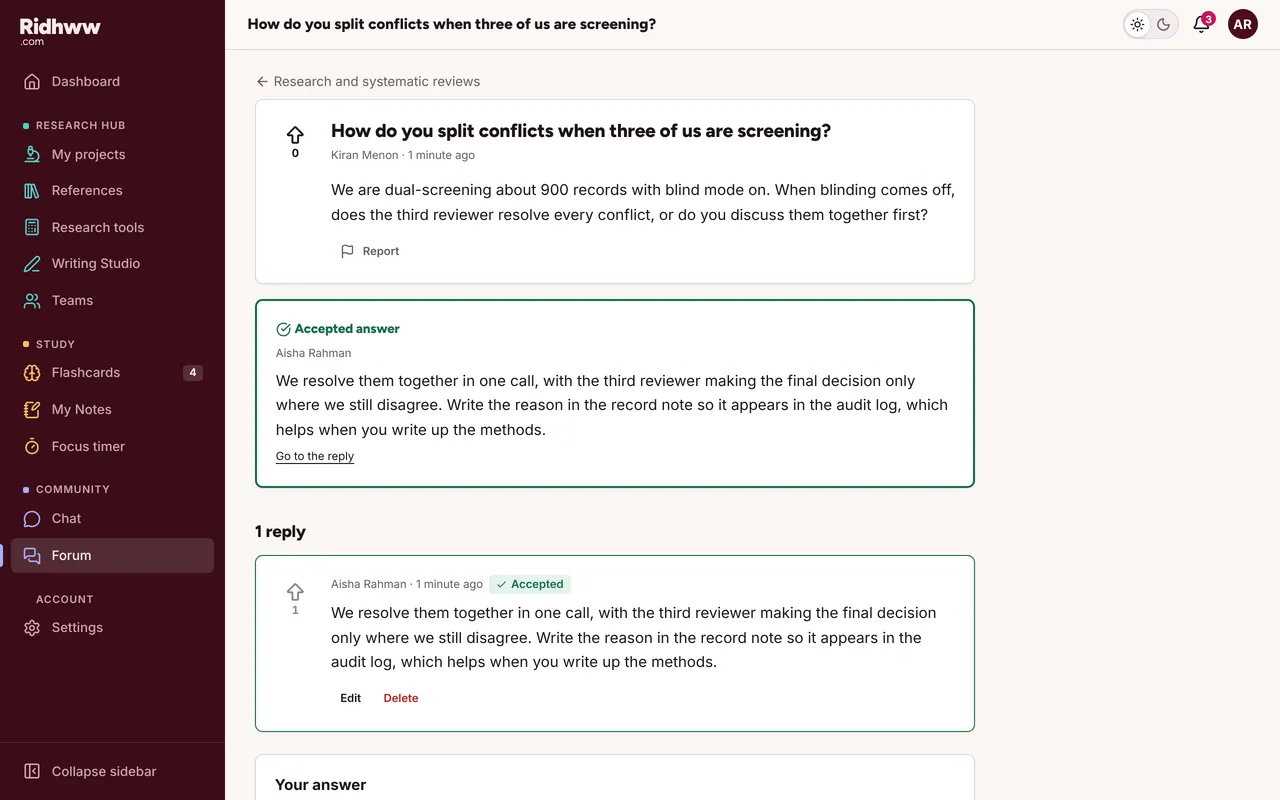
A forum for research methods and study questions, where the asker or a moderator marks the accepted answer and educators carry a badge. Live chat has direct messages, study groups and a channel for every review.
Free while we launch.
Every research tool is free for everyone. Exam prep is coming soon.